
Loops
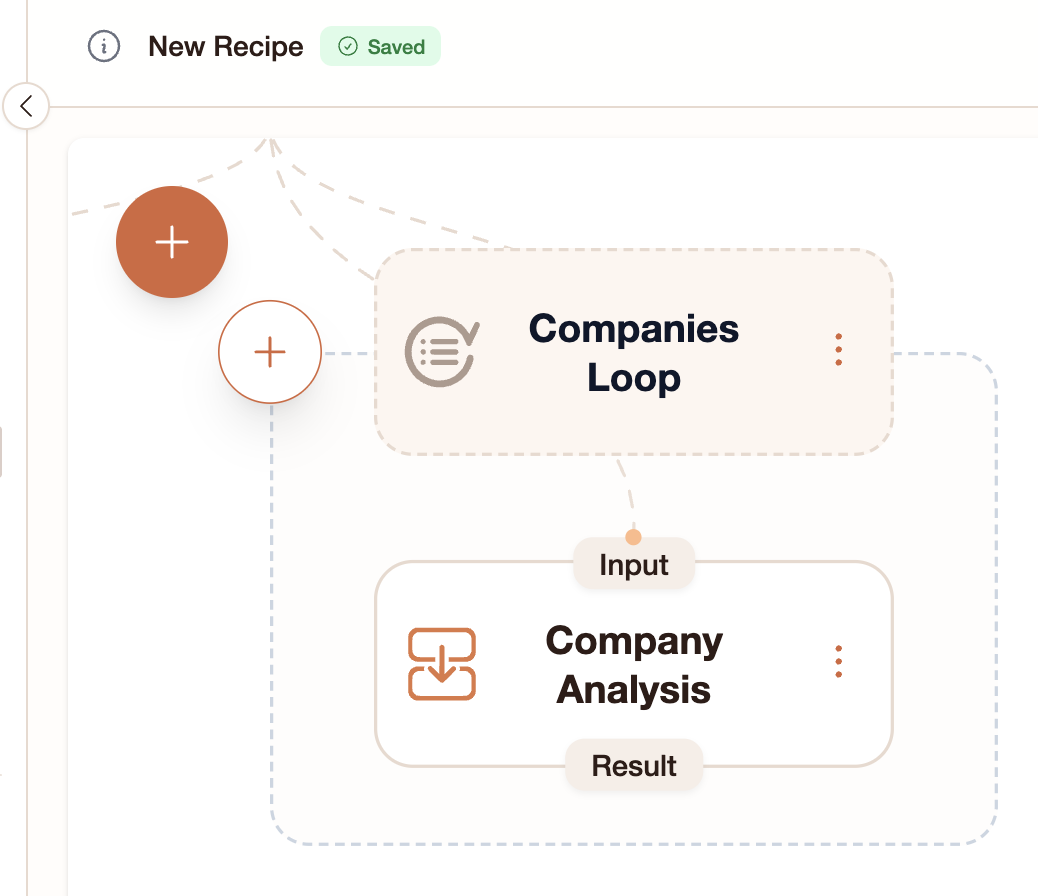
A Loop step repeats its inner steps once for each item in a list. This is how you process multiple items in a single workflow.Example: Analyze a list of companies
Say you have a list of 5 companies and want to research each one:- Add a value step or Input that provides the list:
["Apple", "Google", "Tesla", "Amazon", "Meta"] - Add a Loop step and set its Items to reference that list (drag in the token pill)
- Inside the loop, add an Ask AI step with a prompt like:
Research [current item pill] and summarize their business.
- The Ask AI step runs 5 times — once per company — automatically.
Viewing loop results
During a run, you’ll see the loop expand on the canvas. Each iteration shows as a separate execution of the inner steps. Click on any iteration’s completed step to see that specific result in the side panel.Collecting loop results with Mixer
Loop outputs are scoped — steps outside the loop can’t directly reference them. To use loop results in a later step:- Add a Mixer step after the loop
- Set its Source to the inner step whose outputs you want to collect
- The Mixer produces a single list of all iteration outputs
Loop limits
- Maximum 1,000 items per loop
- A cost estimate shows before running — loops multiply the cost by the number of items
- StewAI warns you if a loop would use more than 90% of your remaining credits
Conditions (If Gate)
An If Gate step checks a condition and only runs certain downstream steps when the condition is true.Example: Content approval
- Add a Decision step with the prompt: “Is this content appropriate for publication?”
- Add an If Gate step and set its Condition to reference the Decision step’s output
- Set the If Gate’s Targets to the steps that should only run when approved (e.g., a publish or email step)
Combining loops and conditions
You can put an If Gate inside a Loop:- Loop over a list of items
- For each item, run a Decision step: “Is this item relevant?”
- If Gate: only run the detailed analysis for relevant items
- Ask AI: deep analysis (only runs when the gate is true)
Next steps
- Step Types — Full reference for Loop, If Gate, and all other steps
- Exporting Results — Export loop results as spreadsheets
- Schemas — Define structured output for each loop iteration