
Recipes
A recipe is a reusable workflow template. You build it once, then run it as many times as you want with different inputs. In StewAI, you’ll see recipes in the Cookbook section of the sidebar. Each recipe appears as a card you can click to edit or run. Think of a recipe like a form template — it defines what steps to take and in what order, but doesn’t do anything until you fill it in and hit “go.” Recipes have two states:- Draft — You’re still editing. Changes save automatically.
- Published — Locked and ready for production use. Publishing creates a snapshot so your recipe won’t change unexpectedly.
Steps
A step is a single action in your recipe. Each step appears as a box on the visual canvas. StewAI offers several categories of steps:| Category | Steps | What they do |
|---|---|---|
| AI | Ask AI, AI Chef, Decision | Send prompts to AI models and get responses |
| Data | Input, Compute, Ingest | Collect user input, calculate values, load documents |
| Logic | Loop, If Gate | Repeat actions or branch based on conditions |
| Output | Export Table, Document, Email | Export spreadsheets, generate docs, send emails |
| Search | Web Search, Vector Search | Search the web or search within documents |
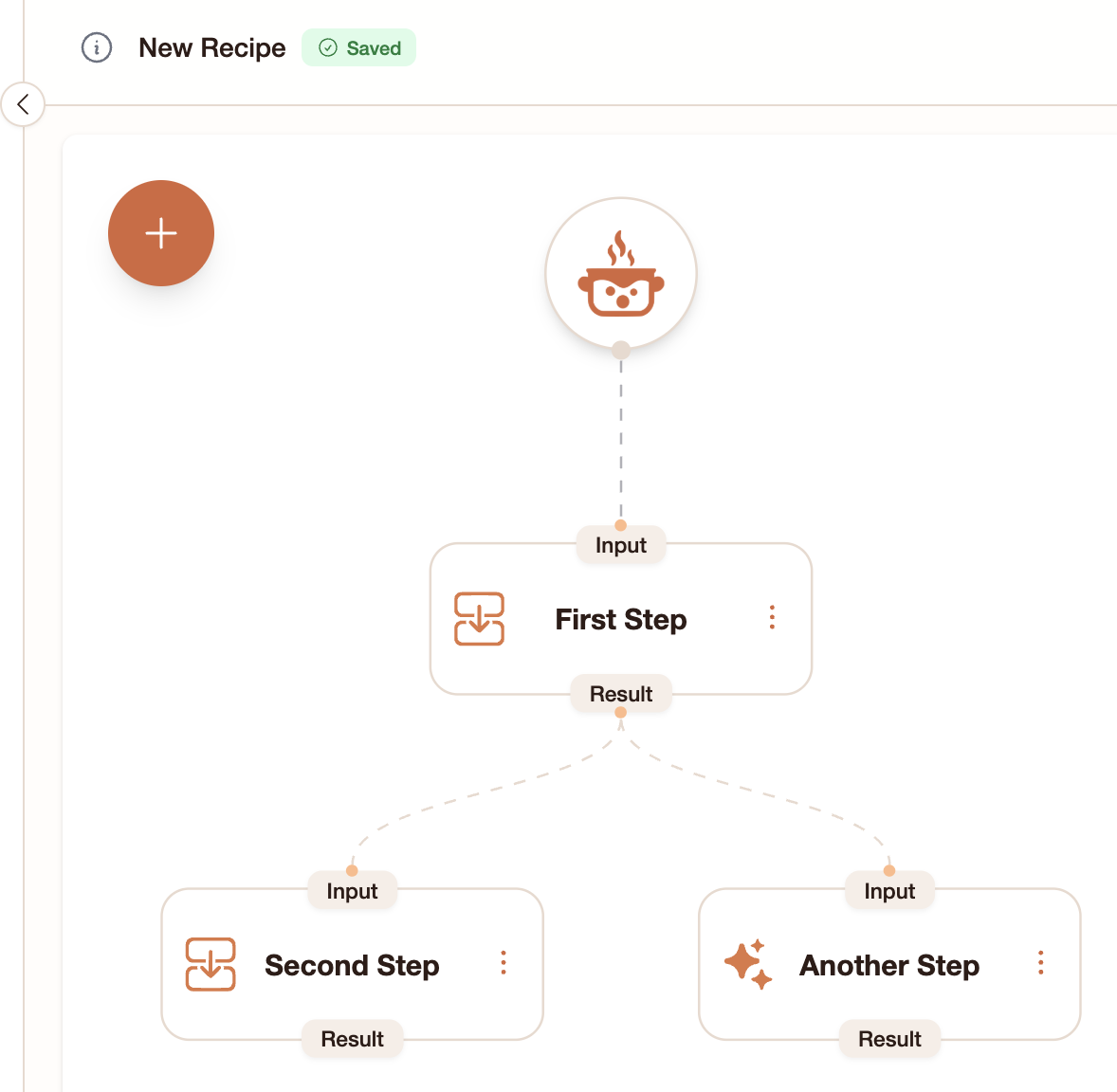
Runs
A run is what happens when you execute a recipe. Each run is independent — you can run the same recipe many times and each run has its own results. In StewAI, you’ll see runs in the Orders section of the sidebar. Each run shows:- A progress indicator — color-coded bar showing how far along the run is
- Status — Queued (gray), Running (yellow), Completed (green), Failed (red)
- The recipe name it was created from
Run statuses
| What you see | What it means |
|---|---|
| Gray / Queued | The run is waiting to start |
| Yellow / Running | Steps are actively executing |
| Green / Completed | All steps finished successfully |
| Red / Failed | Something went wrong (click the failed step to see the error) |
| Orange / Waiting for input | A step needs you to type something before the run can continue |
How they fit together
- You build a recipe in the Cookbook
- You create a run from that recipe (Orders → +)
- Each step executes in order, and you view results by clicking on steps
Next steps
- Step Types — See all available step types in detail
- Outputs — Understand what each step produces
- Building a Workflow — Put it all together in a hands-on tutorial