
1. Create a recipe
- Open stewai.com and log in
- Click Cookbook in the left sidebar
- Click the + button next to “Cookbook”
- Your new recipe opens in the visual editor with an empty canvas
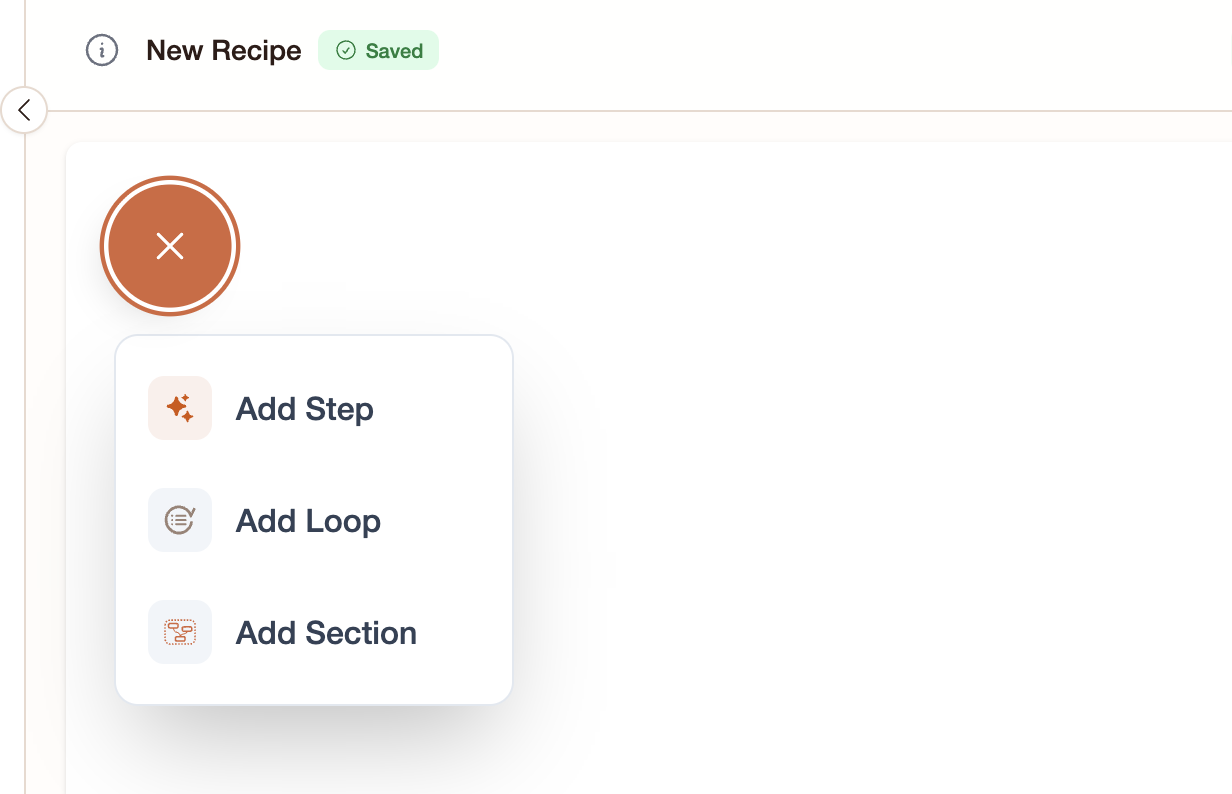
2. Add an Input step
- Click Add Step at the bottom of the canvas
- Choose Input from the step list
- In the step’s settings panel (right side), give it a title like “Your Question”
3. Add an Ask AI step
- Click Add Step again
- Choose Ask AI
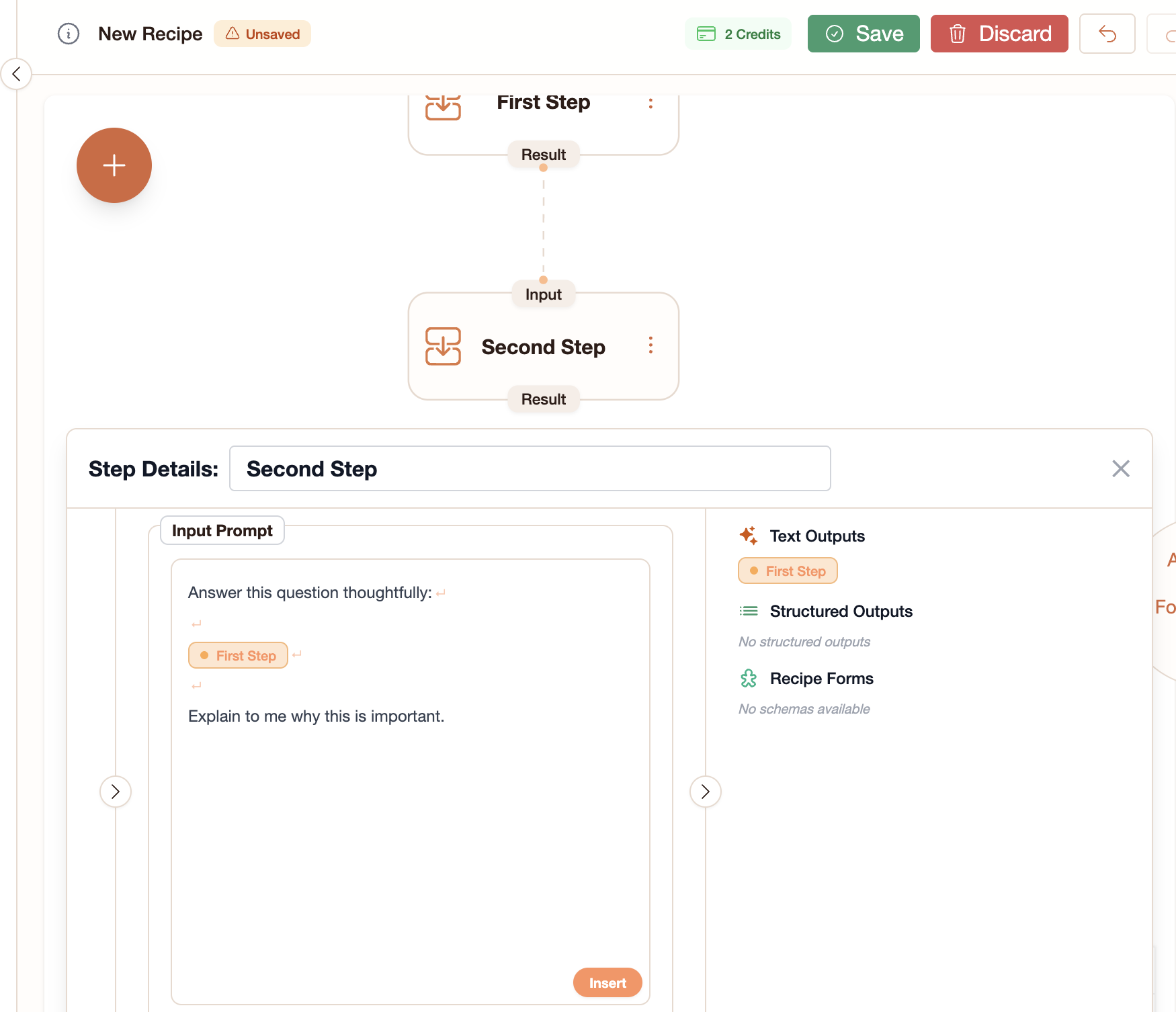
- In the settings panel, you’ll see a Prompt field
- Look at the tokens panel on the right — you’ll see your Input step listed with its outputs
- Drag the orange token pill into the Prompt field, or click the Insert button in the prompt toolbar
- The token appears as a colored pill in your prompt: it represents “whatever the user types”
- Type around it:
Answer this question thoughtfully: [token pill]
4. Run the recipe
- Go to Orders in the sidebar and click +
- Select your recipe
- The workflow starts — the Input step turns yellow, waiting for your text
- Type a question (e.g., “What are the main benefits of solar energy?”) and click Submit
- The Ask AI step turns yellow (running), then green (completed)
5. View the result
Click on the completed Ask AI step in the canvas. The side panel shows:- The AI’s response as formatted text
- A status badge showing Completed with a green checkmark